Create Google Play screenshots as one editable set
Start with an Android phone layout, write a clear benefit for each image and export a consistent set for your store listing.
Skir’s Google Play workflow opens a 1080 × 1920 portrait canvas for each screenshot. Headlines, background shapes and the screen inside the frame remain editable. The first three screenshots in each set can be exported free at full resolution.
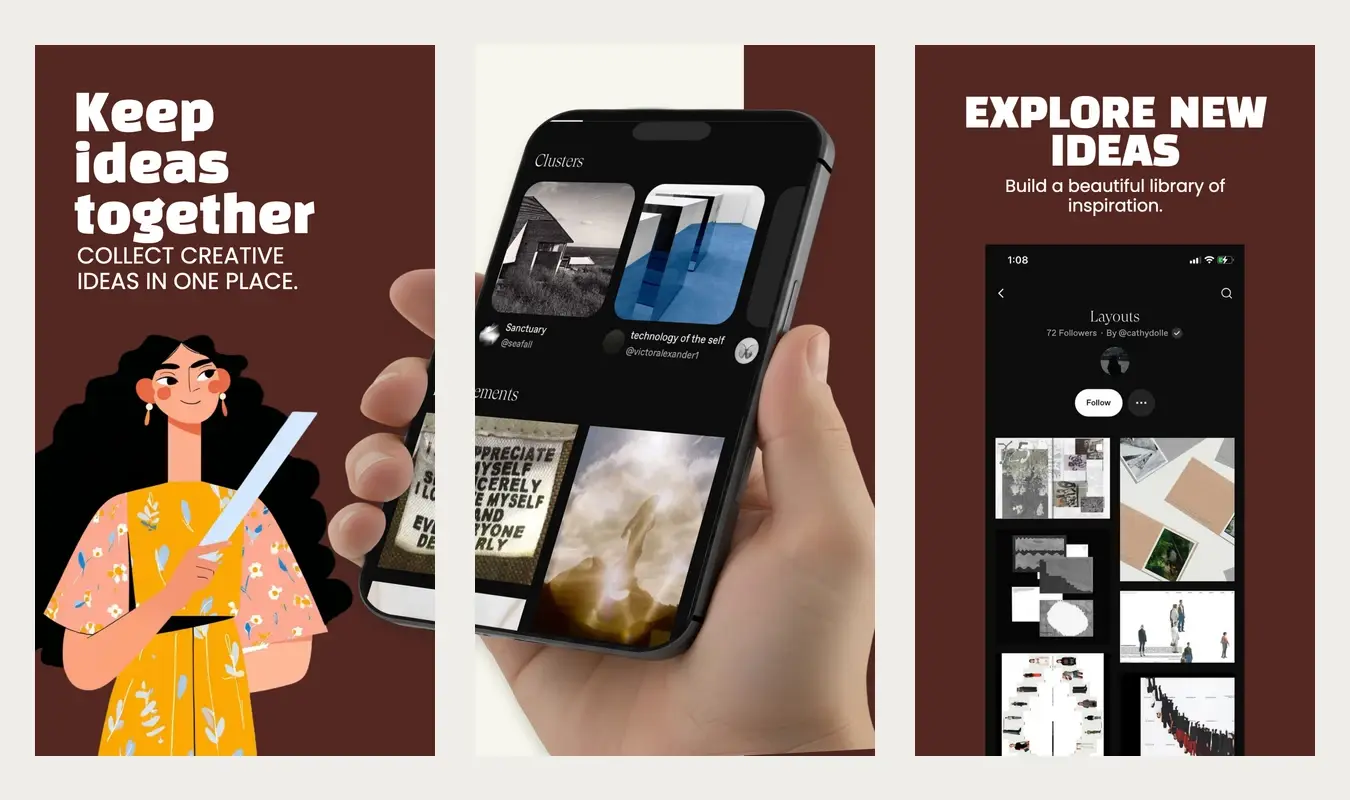
From template to a store-ready file
- Choose Google Play — Android phone. The template dialog includes a platform selector, so an existing iPhone workspace can also create an Android set.
- Replace the sample screen with your app. Keep interface artwork accurate to the version you are releasing. A decorative frame does not change the canvas dimensions.
- Edit one benefit per screenshot. Select a headline in Layers, change its text and review the whole sequence. Wait for the saved state before exporting.
- Export and inspect the ZIP. Select Export set, choose the eligible screenshots and PNG or JPEG, then download the completed export. Open each file at actual size.
What is included
Editable layout and copy
Adjust headlines, colors, background shapes and screen artwork across the set. Manual editing does not require an AI request.
Authenticated exports
Generated files belong to your workspace. Large downloads are assembled in the browser without exposing a public storage link.
Check the right Play Console asset
A phone screenshot and a feature graphic are different assets. This workflow creates portrait phone screenshots. A 1080 × 1920 export is not a replacement for the separate 1024 × 500 feature graphic. Tablets and other device types need their own review.
Use the Google Play dimensions guide to understand the current requirements, then run the exported files through the local size checker. Google’s preview asset requirements are the primary reference; meeting file requirements does not guarantee approval or promotional placement.
Can I export the entire template free?
Free covers the first three screenshots in a set. Later screenshots are preview-only without eligible paid access. See current plans and commercial availability before choosing a larger workflow.
Does Skir capture my Android app?
You supply your app screenshots. Skir arranges and edits the store listing artwork; it does not run your app or certify that a sample interface matches it. Capture the correct release build, remove personal information and replace every illustrative screen.
Continue with the first-set walkthrough or the export guide.