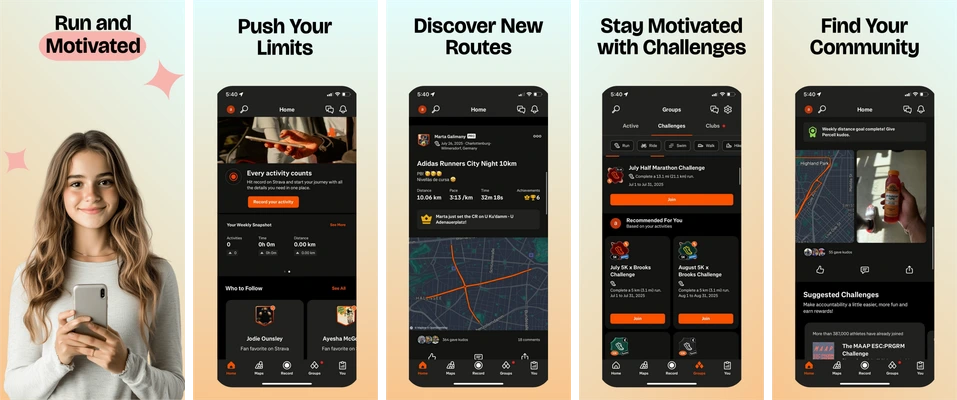
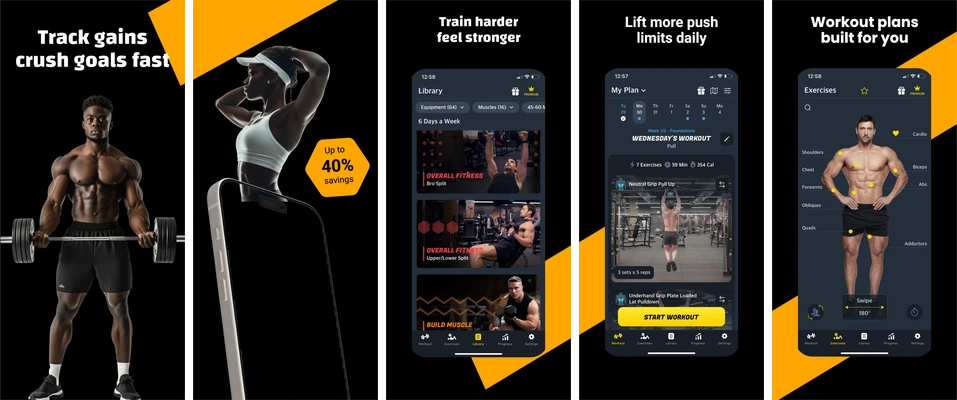
Existing catalog layouts for running routes and strength workouts. Choose the story that matches your actual app.
Start with the task your app supports: planning activity, choosing a route or recording a session. A workout table and a map need different visual emphasis. Use fictional demo records and explain a real action rather than promising a physical result.
Pastel fitness compositions with dark activity screens, route maps and challenges.
A person leads the opening image. Later boards shift the emphasis to activity totals, a map, challenges and community, giving each screen a different role.
Black and yellow fitness layouts combining training photography with workout screens.
Angular yellow shapes connect the photo-led opener with dark training interfaces. Large headlines sit above the phones, keeping a consistent place for each message.
Choose Running Routes for maps, activity totals and challenges.
Choose Strength Workouts for training plans and workout screens.
Replace the sample content
These selected sets contain five iPhone portrait compositions at 1290 × 2796 pixels. Headlines, supporting copy, decoration and device placement are editable. Each app screen is a single replaceable image; import a real capture from your app and keep its internal artwork intact.
Free accounts can edit and export the first three screenshots in a set. Later boards follow paid-plan access rules. See current availability and limits before planning the final delivery.
Review the message and the exported files
Check exercise labels, units, route context and the meaning of any progress indicator. Keep training or health outcome claims out of the artwork unless you have evidence for the exact statement.
Save the project, export the available boards and inspect every file at full resolution and a small store-preview size. Use the screenshot checker for dimensions, format and alpha; the release checklist covers the wider handoff.