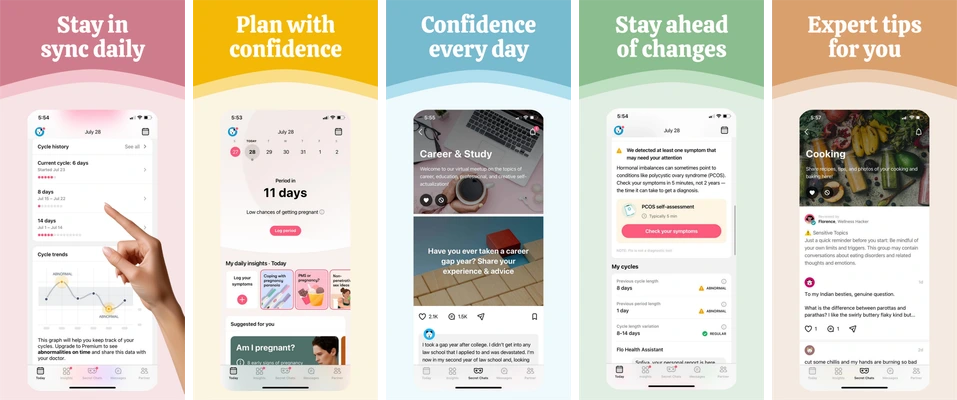
Pastel screenshot compositions for calendar views, planning and informational content.
Pink, yellow, blue and green panels distinguish stages in the sequence. Large central phone images keep the calendar and content views prominent beneath short headings.
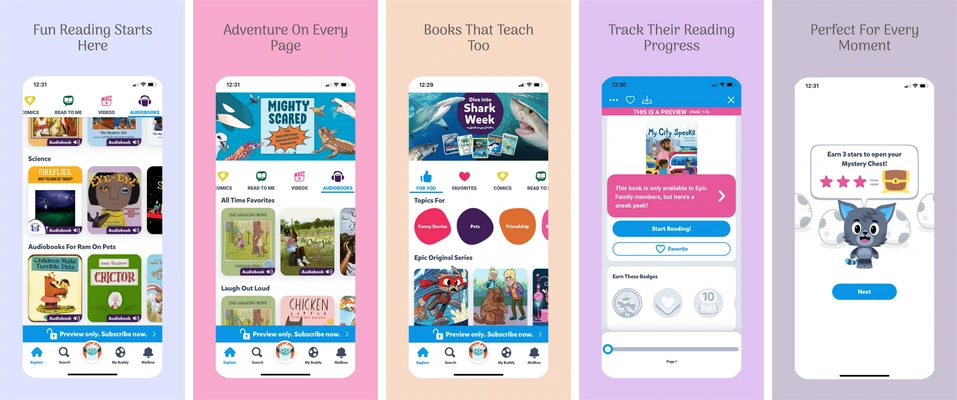
Pastel layouts for a children’s reading catalog, book discovery and reading progress.
Each board uses a large upright phone on a different soft color. Short centered headlines leave the book covers, reading controls and progress interface visible.
Choose Pregnancy Planning for calendar and information views.
Choose Family Reading for book discovery and reading progress.
Replace the sample content
These selected sets contain five iPhone portrait compositions at 1290 × 2796 pixels. Headlines, supporting copy, decoration and device placement are editable. Each app screen is a single replaceable image; import a real capture from your app and keep its internal artwork intact.
Free accounts can edit and export the first three screenshots in a set. Later boards follow paid-plan access rules. See current availability and limits before planning the final delivery.
Review the message and the exported files
Use approved fictional demo content. Check permissions before including real family photographs, names or dates. Describe app actions without adding unsupported developmental, behavioral or medical claims.
Save the project, export the available boards and inspect every file at full resolution and a small store-preview size. Use the screenshot checker for dimensions, format and alpha; the release checklist covers the wider handoff.