Existing catalog layouts for goals, habits and collecting creative ideas. Match the composition to the work your app helps people organize.
A productivity screenshot should make the next useful action easy to identify. Choose a task list, project board or note as the lead screen based on the app's actual core workflow, then give later images a different job.
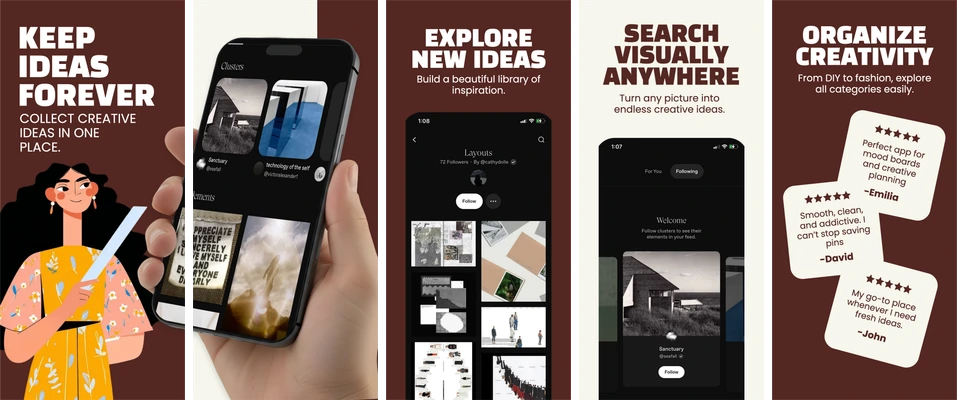
A burgundy and cream sequence for collecting, finding and organizing visual ideas.
Large condensed headlines alternate with full-height phones. The opening illustration introduces the theme; later boards show discovery, visual search and organization.
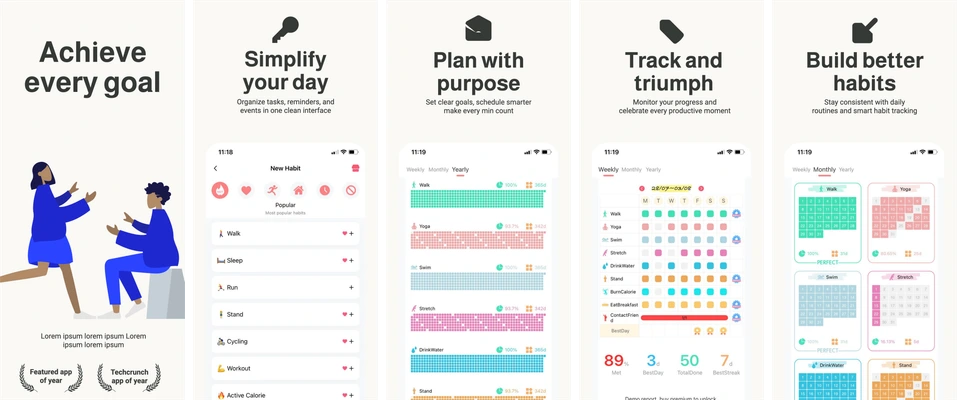
An ivory productivity sequence for task lists, schedules, progress and habits.
The illustration-led opener is followed by aligned phone screens. Restrained green headings and ample light space let task lists, a calendar and habit grids carry the details.
Choose Goals and Habits for task lists, schedules and progress grids.
Choose Keep Ideas Forever for image collections, discovery and organization.
Replace the sample content
These selected sets contain five iPhone portrait compositions at 1290 × 2796 pixels. Headlines, supporting copy, decoration and device placement are editable. Each app screen is a single replaceable image; import a real capture from your app and keep its internal artwork intact.
Free accounts can edit and export the first three screenshots in a set. Later boards follow paid-plan access rules. See current availability and limits before planning the final delivery.
Review the message and the exported files
Use fictional tasks and writing. Confirm that any collaboration, synchronization, search or automation claim describes an available feature, and avoid turning a clean interface into a promise of measured productivity gains.
Save the project, export the available boards and inspect every file at full resolution and a small store-preview size. Use the screenshot checker for dimensions, format and alpha; the release checklist covers the wider handoff.